Best Website Analytics Tools in 2026 (Free & Paid Compared)
Best-website-analytics-tools
Running a website is not just about publishing content and getting visitors. You also need to understand how people find your website, which pages they visit, how long they stay, and what makes them take action. This is where website analytics tools become important.
Whether you manage a blog, an online store, a business website, or a digital marketing project, analytics can help you make better decisions using real visitor data. These tools show where your traffic comes from, which content performs well, and where visitors may leave your website.
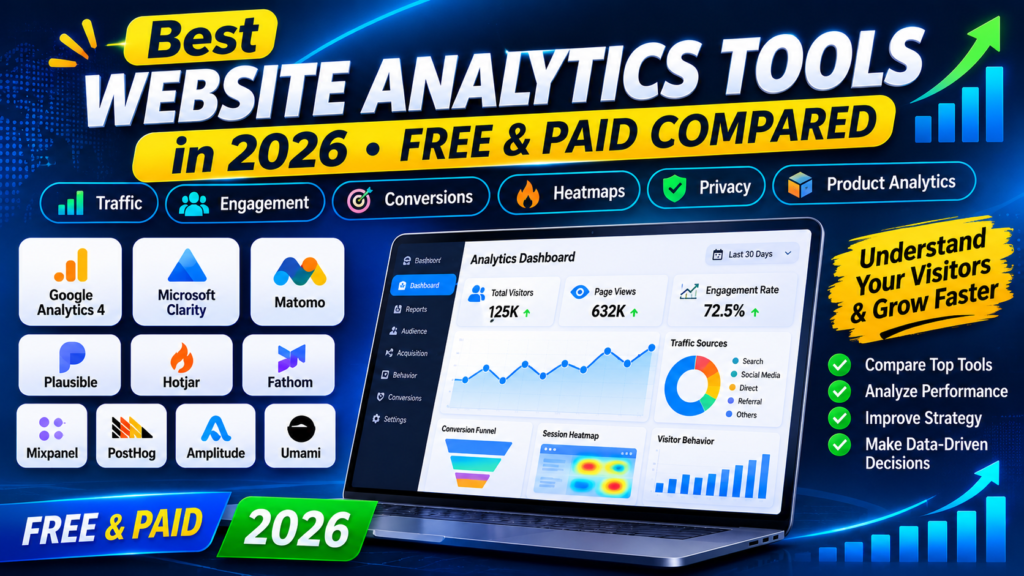
In this guide, we compare the 10 best website analytics tools in 2026, including free and paid options. We will explain their main features, advantages, limitations, and how you can choose the right solution for your website.
What Are Website Analytics Tools?
Website analytics tools are software platforms that collect and organize information about how visitors interact with a website.
They help website owners understand:
- How many people visit their website.
- Which pages receive the most traffic.
- Where visitors come from, such as Google, social media, or direct visits.
- Which devices and browsers visitors use.
- How visitors interact with website content.
- Whether visitors complete important actions, such as purchases or newsletter signups.
For example, if you publish five blog posts and one receives significantly more visitors than the others, an analytics tool can help you investigate why. You can use that information to improve your content strategy.
Why Are Website Analytics Tools Important?
Using website analytics is helpful for beginners, bloggers, businesses, marketers, and website developers.
Here are some important benefits.
1. Understand Your Website Traffic
Analytics tools show how many visitors come to your website and which sources bring them in. You can identify whether visitors arrive through search engines, social media, referral links, or direct visits.
2. Discover Your Best-Performing Pages
You can find out which blog posts, landing pages, and product pages attract the most attention. This information helps you decide what type of content to create next.
3. Improve User Experience
Some analytics platforms provide heatmaps and session recordings. These features help you understand how visitors interact with your website and where they experience difficulties.
4. Measure Marketing Performance
If you promote your website through social media, email campaigns, or advertising, analytics can help you measure which channels bring useful visitors and conversions.
5. Make Better Business Decisions
Instead of guessing what your audience wants, you can use actual data to improve your website, content, and marketing strategy.
10 Best Website Analytics Tools in 2026
We have selected these tools based on their main use cases, analytics features, ease of use, and available free or paid options. Each platform serves a different purpose, so the best choice depends on your website and goals.
1. Google Analytics 4 (GA4)
Best for: Overall website traffic and performance tracking.
Google Analytics 4 is one of the most widely used website analytics platforms. It helps website owners understand how visitors discover and interact with their websites.
It provides information about traffic sources, user engagement, page performance, events, and conversions. It is especially useful for bloggers, businesses, marketers, and online store owners.
Key Features:
- Website traffic reports.
- Visitor engagement tracking.
- Traffic source analysis.
- Event and conversion measurement.
- Audience and device reports.
- Google Ads integration.
How It Helps:
Google Analytics 4 can help you discover which articles attract visitors, which marketing channels perform well, and whether people complete important actions on your website.
Pricing: Free standard version available. Enterprise options are paid.
Official Website: https://analytics.google.com/
2. Microsoft Clarity
Best for: Understanding visitor behavior through heatmaps and session recordings.
Microsoft Clarity is a behavior analytics platform that helps you understand how people interact with your website. Instead of only showing visitor numbers, it provides visual information about how visitors use your pages.
Its heatmaps show where people click and scroll. Session recordings help you review anonymized browsing sessions and identify possible usability problems.
Key Features:
- Click heatmaps.
- Scroll heatmaps.
- Session recordings.
- Rage-click insights.
- Dead-click insights.
- Website behavior analysis.
How It Helps:
Suppose visitors open your blog post but do not click your important links. Clarity can help you investigate whether those links are difficult to notice or whether visitors stop scrolling before reaching them.
Pricing: Free.
Official Website: https://clarity.microsoft.com/
3. Matomo Analytics
Best for: Website owners who want more control over their analytics data.
Matomo is an analytics platform that offers website traffic reporting and visitor behavior insights. It is a popular alternative for organizations that want more control over how their analytics data is stored and managed.
Matomo offers a self-hosted version as well as a cloud-hosted option.
Key Features:
- Visitor and traffic reports.
- Goal and conversion tracking.
- Campaign tracking.
- Custom reports.
- Ecommerce analytics.
- Self-hosting option.
How It Helps:
Matomo can help businesses understand their website performance while offering more control over their analytics infrastructure. Its self-hosted option may be useful for organizations with specific data ownership requirements.
Pricing: Free self-hosted edition; paid cloud plans are available.
Official Website: https://matomo.org/
4. Plausible Analytics
Best for: Simple and privacy-focused website analytics.
Plausible Analytics is designed for website owners who prefer a clean and easy-to-understand analytics dashboard. It focuses on important website statistics without overwhelming beginners with complicated reports.
It is particularly suitable for blogs, small businesses, and content websites.
Key Features:
- Website visitor statistics.
- Traffic source reports.
- Popular page reports.
- Campaign tracking.
- Lightweight analytics script.
- Privacy-focused measurement.
How It Helps:
If you only want to know how many people visit your website, where they come from, and which pages are popular, Plausible provides a straightforward way to monitor these metrics.
Pricing: Paid plans are available, with a trial option. Check the official pricing page for current rates.
Official Website: https://plausible.io/
5. Hotjar
Best for: Improving website design and user experience.
Hotjar helps website owners understand what visitors do on their pages. It provides tools such as heatmaps, session recordings, and feedback features.
It is useful for businesses, ecommerce websites, and marketing teams that want to identify problems in their website experience.
Key Features:
- Heatmaps.
- Session recordings.
- User feedback.
- Surveys.
- Visitor behavior insights.
- Website usability analysis.
How It Helps:
For example, if visitors leave your pricing page without contacting you, Hotjar can help you investigate how they interact with the page and whether important information is being overlooked.
Pricing: Free plan and paid plans are available. Features and limits vary by plan.
Official Website: https://www.hotjar.com/
6. Fathom Analytics
Best for: Simple website statistics with a privacy-focused approach.
Fathom Analytics offers a straightforward dashboard for monitoring website traffic. It focuses on making important information easy to understand without requiring users to navigate complicated reports.
It can be a good choice for bloggers, freelancers, and businesses that prefer simple analytics.
Key Features:
- Visitor statistics.
- Page views.
- Referral tracking.
- Campaign tracking.
- Simple reporting.
- Privacy-focused analytics.
How It Helps:
Fathom can help you quickly identify which pages receive traffic and which sources bring visitors to your website.
Pricing: Paid subscription plans are available, with a trial option.
Official Website: https://usefathom.com/
7. Mixpanel
Best for: Product analytics and user engagement tracking.
Mixpanel is a product analytics platform that helps businesses understand how people use websites and digital products.
It focuses on user actions and events rather than only basic page views. This makes it especially useful for SaaS companies, web applications, and digital product teams.
Key Features:
- Event tracking.
- Funnel analysis.
- User retention reports.
- Conversion analysis.
- User segmentation.
- Product usage insights.
How It Helps:
If you operate a web application, Mixpanel can help you understand how many users sign up, which features they use, and where they stop during a process.
Pricing: Free plan available with usage limits; paid options are available.
Official Website: https://mixpanel.com/
8. PostHog
Best for: Developers, SaaS businesses, and product teams.
PostHog provides several product and website analytics features in one platform. It is particularly useful for developers and teams that want to understand user behavior and improve digital products.
Depending on the setup and plan, it can combine analytics with session recordings, feature flags, and experimentation tools.
Key Features:
- Product analytics.
- Event tracking.
- Session recordings.
- Feature flags.
- Experimentation tools.
- Self-hosting option.
How It Helps:
PostHog can help developers understand which features users interact with and identify problems in important user journeys.
Pricing: Free usage allowance and usage-based paid options are available. Check current limits.
Official Website: https://posthog.com/
9. Amplitude Analytics
Best for: Advanced product analytics and customer behavior insights.
Amplitude is a product analytics platform designed to help teams understand how users interact with digital products. It provides reports that help businesses study engagement, retention, and conversion journeys.
It is more suitable for growing businesses and product teams than someone who only needs a basic visitor counter.
Key Features:
- Behavioral analytics.
- Funnel analysis.
- Retention reports.
- User segmentation.
- Product performance insights.
- Experimentation capabilities.
How It Helps:
Amplitude can help a business identify which user actions are connected to better engagement and where users leave important processes.
Pricing: Free starter option and paid plans are available. Check the official website for current limits and pricing.
Official Website: https://amplitude.com/
10. Umami Analytics
Best for: Developers and website owners who prefer lightweight, open-source analytics.
Umami is an open-source web analytics platform that focuses on simple reporting and an easy-to-use interface.
It can be self-hosted, which makes it an interesting option for developers who want to manage their analytics infrastructure.
Key Features:
- Website visitor tracking.
- Page view reports.
- Referral tracking.
- Event tracking.
- Simple dashboard.
- Self-hosting option.
How It Helps:
Umami can help website owners monitor traffic and understand which pages receive attention without using a complicated analytics dashboard.
Pricing: Free self-hosted option and cloud plans are available.
Official Website: https://umami.is/
Website Analytics Tools Compared: Quick Comparison Table
Here is a quick overview to help you compare the tools and choose the right one.
| Tool | Best For | Free Option |
|---|---|---|
| Google Analytics 4 | Website traffic | Yes |
| Microsoft Clarity | Heatmaps and recordings | Yes |
| Matomo | Data ownership | Yes, self-hosted |
| Plausible | Simple privacy-focused reports | Trial |
| Hotjar | User experience analysis | Yes |
| Fathom | Simple privacy analytics | Trial |
| Mixpanel | Product analytics | Yes |
| PostHog | Developers and SaaS | Yes |
| Amplitude | Advanced user behavior | Yes |
| Umami | Open-source analytics | Yes, self-hosted |
Note: Free-plan limits, paid prices, and available features can change. Always check the official websites before choosing a subscription.
How to Choose the Best Website Analytics Tool
Not every website needs an advanced analytics platform. Your choice should depend on the type of website you manage and the information you want to collect.
Here are some simple recommendations.
For Beginners and Bloggers
Google Analytics 4 is a useful starting point because it offers detailed website traffic and engagement reports without a standard subscription fee.
For Understanding Visitor Behavior
Microsoft Clarity is a strong option if you want to see how visitors click, scroll, and interact with your pages.
For Privacy-Focused Analytics
Plausible, Fathom, Matomo, and Umami are worth exploring if privacy and data management are important to your project. Remember that privacy compliance depends on your implementation and applicable laws.
For Developers and Web Applications
PostHog and Mixpanel are useful options for tracking events, product usage, and user journeys.
For Businesses and Marketing Teams
Google Analytics 4, Matomo, and Hotjar can help businesses understand traffic, conversions, and visitor experience.
How to Set Up Website Analytics on Your Website
Getting started with website analytics does not have to be complicated. Follow these basic steps.
Step 1: Choose an Analytics Tool
Select a platform based on your website requirements. Beginners can start with Google Analytics 4 and Microsoft Clarity.
Step 2: Create an Account
Visit the official website of your selected platform and create an account.
Step 3: Add Your Website
Enter your website name and domain. Follow the platform’s instructions to create a website property or project.
Step 4: Install the Tracking Code
Most analytics platforms provide a tracking script or installation instructions.
If you use WordPress, you can usually install analytics through an official integration, a supported plugin, or Google Tag Manager.
Make sure you follow the provider’s instructions and avoid installing the same tracking code multiple times.
Step 5: Verify Tracking
Open your website and check the analytics platform to confirm that data is being received. Some reports may take time to become available.
Step 6: Monitor Your Reports
Review your traffic sources, popular pages, engagement, and conversions regularly. Use the information to improve your website.
Important: Before installing tracking technologies, review applicable privacy laws, consent requirements, and the analytics provider’s documentation. A tool being privacy-focused does not automatically make every website implementation compliant.
Website Analytics Metrics You Should Understand
If you are new to analytics, these are some important metrics to learn.
1. Users
Users represent the people or user identities counted by an analytics platform during a selected period. Exact counting methods vary.
2. Sessions
A session represents a period of activity on your website, according to the platform’s session rules.
3. Page Views
Page views count how often website pages are viewed.
4. Engagement Rate
Engagement rate helps you understand how many sessions meet the platform’s criteria for meaningful engagement.
5. Traffic Sources
Traffic sources show where visitors come from, such as organic search, social media, referrals, or direct visits.
6. Conversions
Conversions are important actions that you define for your website, such as purchases, form submissions, or newsletter signups.
Understanding these metrics can help you identify opportunities to improve your content and website experience.
Can Website Analytics Tools Help Improve SEO?
Yes. Website analytics tools can help you understand how visitors interact with your website and which pages attract traffic.
For example:
- Find pages that receive organic search visitors.
- Identify popular articles and content topics.
- Compare traffic from different sources.
- Monitor important conversion actions.
- Discover pages that may need better content or navigation.
However, analytics tools do not directly guarantee higher Google rankings. For search performance, you should also use Google Search Console to monitor search queries, impressions, clicks, and indexing information.
If you are interested in using AI to improve your online projects, explore our guide to the Best AI Logo Maker Tools to discover tools that can help you create professional branding for your website.
You can also read our detailed guide to the 10 Best AI Tools in 2026 to explore AI solutions for writing, research, productivity, design, and other digital tasks.
Frequently Asked Questions (FAQs)
1. What are the best website analytics tools in 2026?
Some popular website analytics tools in 2026 include Google Analytics 4, Microsoft Clarity, Matomo, Plausible, Hotjar, Fathom, Mixpanel, PostHog, Amplitude, and Umami. The best option depends on your requirements.
2. What is the best free website analytics tool?
Google Analytics 4 is a strong free option for general website traffic reporting. Microsoft Clarity is another free tool that provides heatmaps and session recordings.
3. Can I use website analytics tools with WordPress?
Yes. Many analytics tools support WordPress websites through plugins, integrations, Google Tag Manager, or manual tracking-code installation.
4. Do website analytics tools improve Google rankings?
Analytics tools do not directly improve search rankings. However, their reports can help you understand visitor behavior and improve content and user experience.
5. What is the difference between Google Analytics and Microsoft Clarity?
Google Analytics focuses on traffic, engagement, events, and conversions. Microsoft Clarity focuses more on visual visitor behavior through heatmaps and session recordings. They can complement each other.
6. Are website analytics tools free?
Some tools offer free plans or free self-hosted versions, while others require subscriptions. Features and usage limits depend on the platform.
7. Do I need more than one analytics tool?
Not necessarily. A small blog may only need one traffic analytics platform. Some websites use two complementary tools, such as Google Analytics 4 for traffic reports and Microsoft Clarity for visitor behavior.
8. Is website analytics safe for visitors?
Analytics can be used responsibly, but website owners should understand what data is collected, how it is stored, and whether consent is required. Always review the provider’s privacy documentation and applicable regulations.
Final Thoughts
Choosing the right website analytics tools can make managing a website much easier. These platforms help you understand your visitors, measure website performance, discover popular pages, and make better decisions.
If you are a beginner, Google Analytics 4 and Microsoft Clarity are useful starting points because they cover different analytics needs and offer free options.
For privacy-focused reporting, explore Matomo, Plausible, Fathom, or Umami. If you manage a web application or digital product, PostHog, Mixpanel, and Amplitude offer more advanced product analytics features.
Start with the information you actually need, choose a suitable tool, and review your website data regularly. The goal is not to collect the most data, but to use meaningful insights to improve your website.
Editorial note: Features and plan availability may change. Review official product documentation before making a purchase or installing tracking software.